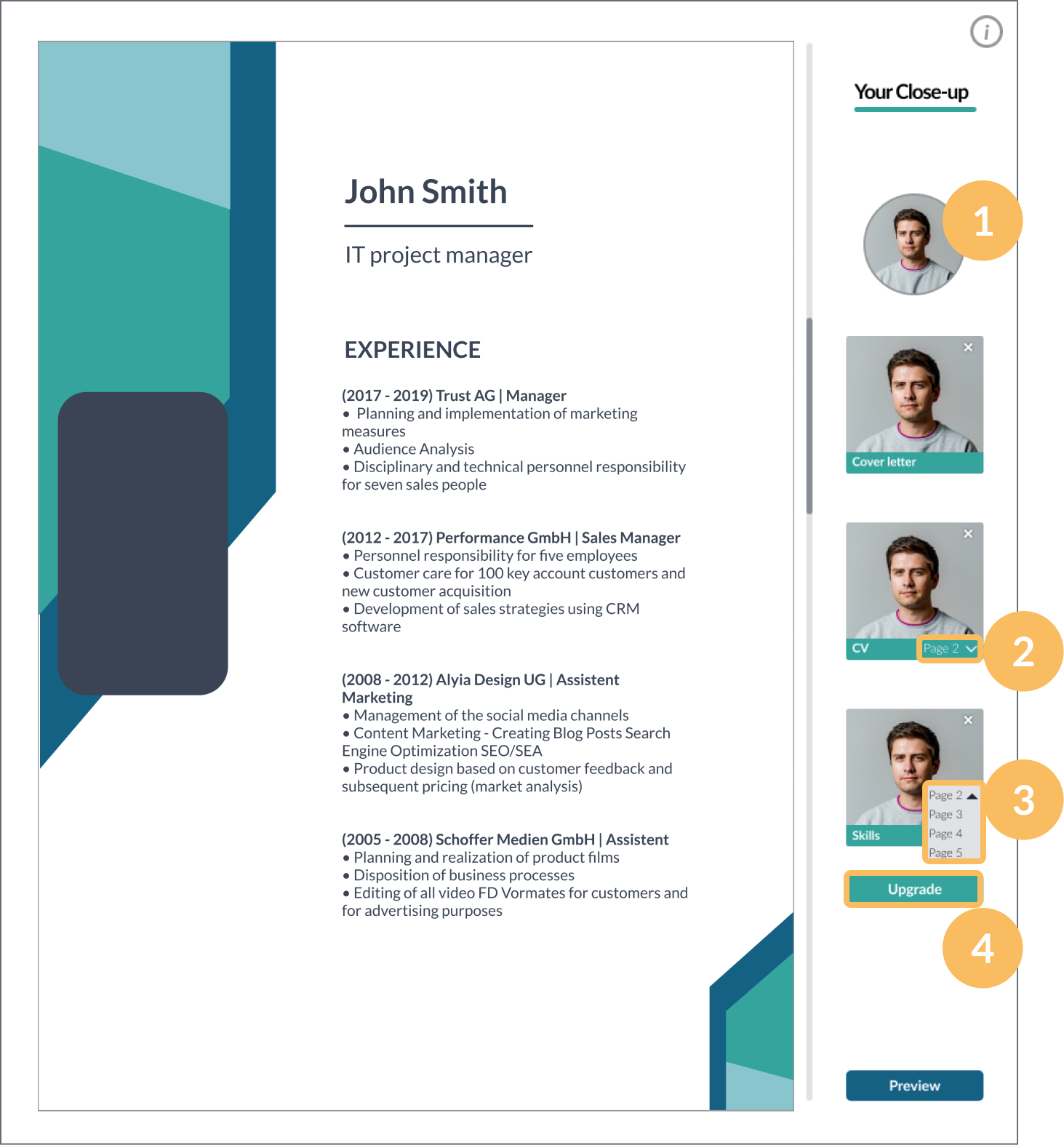
Upload your videos to your dashboard, where you can embed them in your application. Make sure they are in the correct format.

After you have placed your video, you can preview your close-up application.
Upload and arrange videos in the browser.


Record three videos. One for your cover letter, one for your resume, and one about your skills.
Please record the first video (cover letter) in landscape format. The other two videos must be recorded in portrait format.
The videos must not be longer than 1:30 minutes. In addition, they must not be larger than 100 MB each.
Click the plus-symbol to upload your videos.
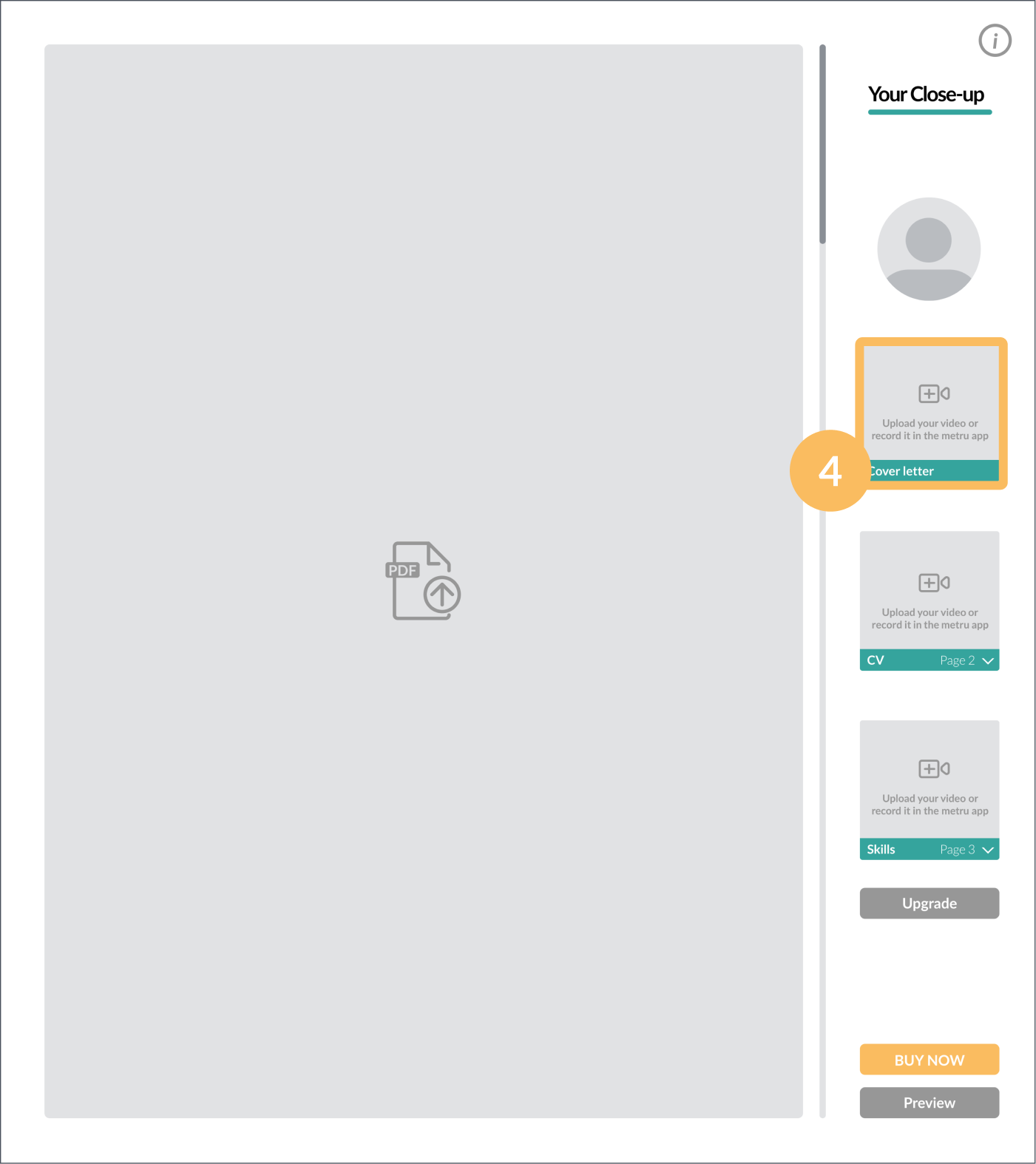
The dashboard provides you with an overview of your videos and your application.
Upload your thumbnail image. By uploading a professional thumbnail image of yourself, you can avoid an unflattering first image in your videos.
Open the drop-down menu below your video.
Select the page where you want to place your video.
With the upgrade button, you can purchase an additional option where we make color and audio corrections to your application.